Create repositories
Start a local Git project, review it, and make the first commit. Publish to GitHub when you’re ready.


A little structure. A lot of possibility.
A desktop workspace for creating Git repositories and continuing work on the projects you already have.
Windows & macOS Free & open source
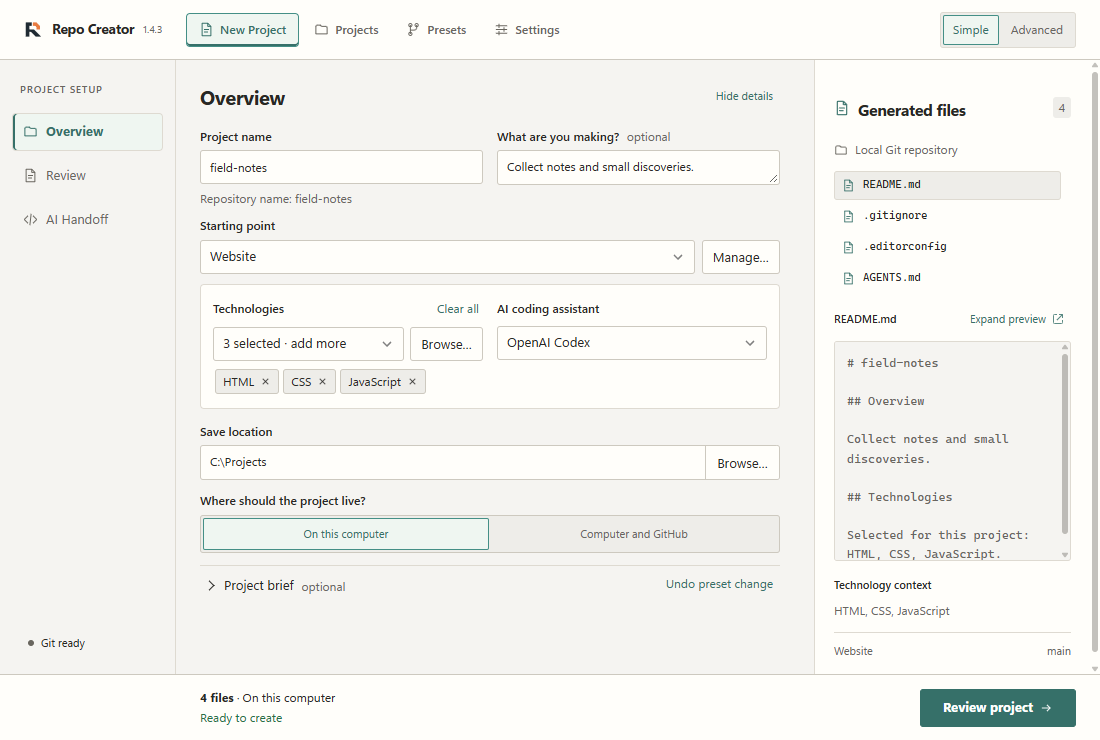
From idea to first commit
Make the small decisions once.
Get back to what you want to build.
Start a local Git project, review it, and make the first commit. Publish to GitHub when you’re ready.
Choose technologies and presets. Preview your README, gitignore, license and project files before creation.
Give your coding assistant useful instructions and project context, with handoff prompts prepared locally.
Technology choices describe your stack; they don’t install frameworks. AI handoff prepares context without making model API calls.
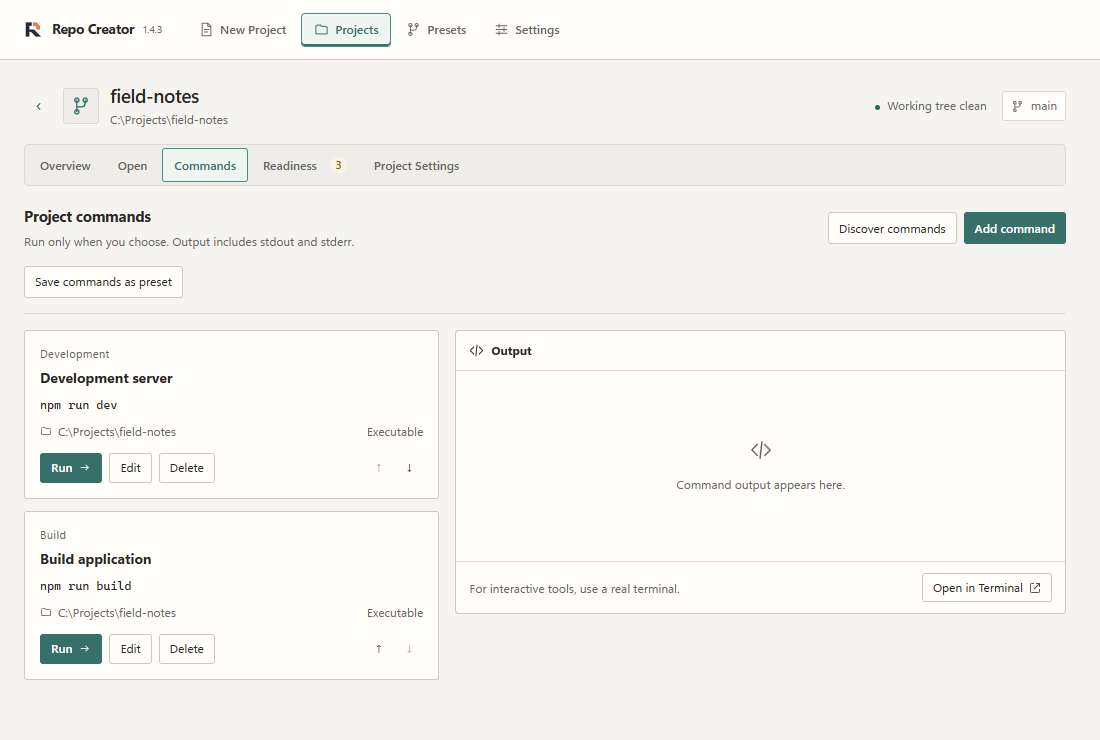
For the work that comes next
Reopen repositories, inspect Git state, launch your editor or terminal, and keep useful commands close.
Inspect project tools and configuration before running commands. Full checks show a plan for your approval.
Make room for your next project
Free, open source, and at home on your desktop.
Windows 11 · x64
The Setup EXE is the easiest place to start.
Find Setup EXE on GitHubWindows builds lack OS-level code signing. Windows or your browser may show a publisher warning. Installation guide
macOS 11+ · Apple Silicon & Intel
Choose the DMG that matches your Mac.
Find Apple Silicon DMGNot sure? Open Apple menu → About This Mac and look for “Chip” or “Processor”.
macOS builds are ad-hoc signed and not notarized. Physical Mac installation and launch testing remain outstanding. Mac installation guide
Local creation needs Git and a commit identity. GitHub CLI is needed for optional publishing. Windows also needs WebView2, which the installer can provide.
All releases